> For the complete documentation index, see [llms.txt](https://docs.decentraland.org/llms.txt). Markdown versions of documentation pages are available by appending `.md` to page URLs; this page is available as [Markdown](https://docs.decentraland.org/creator/build-for-mobile/publish/get-featured.md).
# Get Featured
How to get your scene featured in the mobile Discover section.
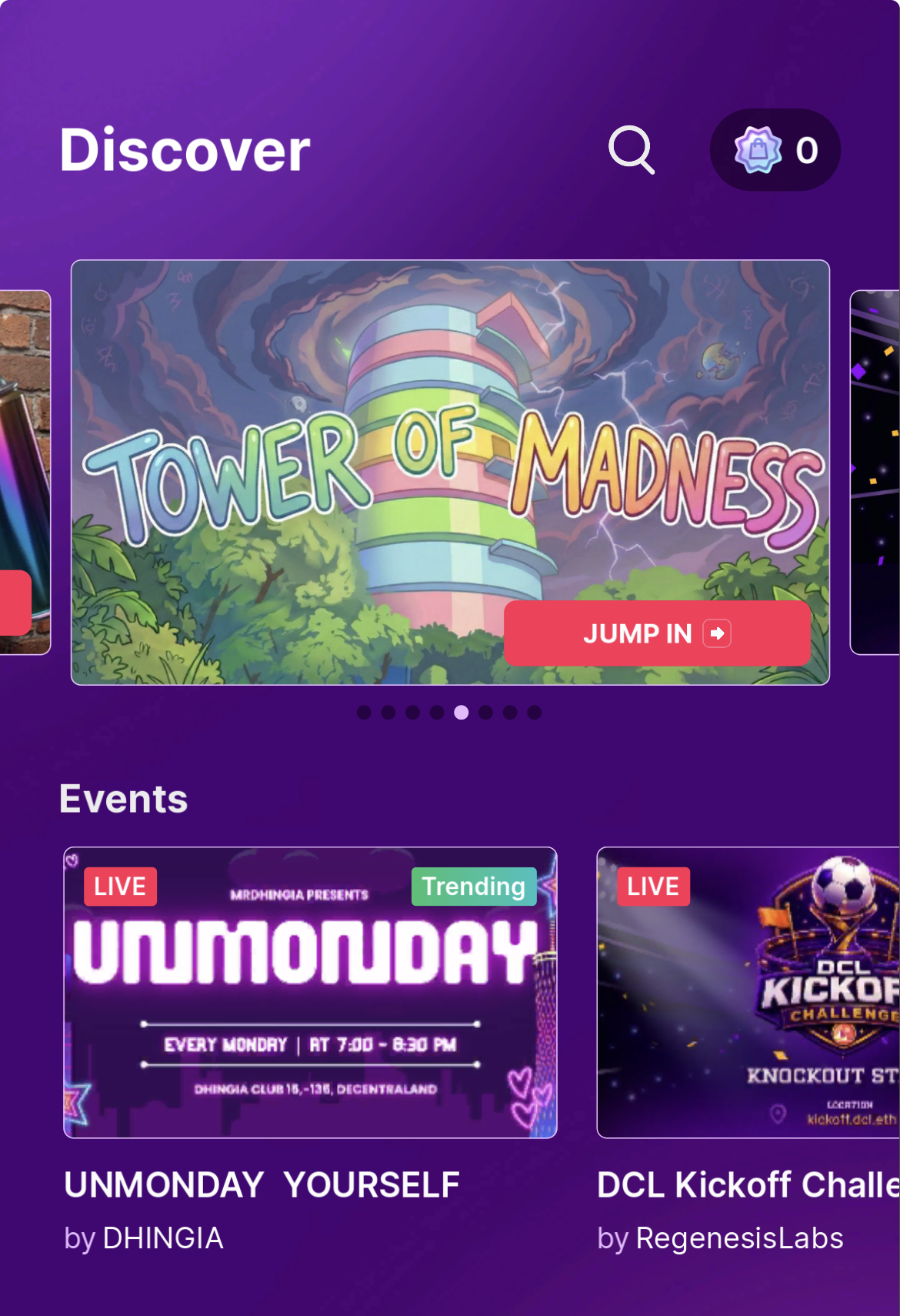
The mobile Discover section is the highest-traffic surface on the Decentraland mobile app and the best way to get your scene in front of mobile players. Featured scenes are curated — there is no automatic ranking.
## How to apply
Submit your scene through the [rl-mobile-featuring](https://discord.com/channels/417796904760639509/1471564023131537590) channel on the Decentraland Discord.
## Requirements
To be considered, your scene or world should:
* **Propose an engaging or novel mechanic for mobile players** — something that feels worth opening the app for, designed with touch in mind.
* **Have UI placement that does not conflict with the mobile controls** — follow the [mobile safe area](/creator/build-for-mobile/develop/safe-area.md).
* **Work as expected on mobile** — preview and test on a real device first; see [Preview on mobile](/creator/build-for-mobile/develop/preview-on-mobile.md).
## What to include in your submission
Provide the following with your application:
* **Scene / World title**
* **Scene / World description**
* **Gameplay description** — what the player does and why it's interesting on mobile.
* **A short gameplay video of your scene running on mobile** — this is the most important piece. Capture from a real device, ideally showing the on-screen controls in action.
## Tips for a strong submission
* Get the basics right first. Validate the [UI best practices](/creator/build-for-mobile/develop/ui-best-practices.md) and [safe area](/creator/build-for-mobile/develop/safe-area.md) before submitting — UI that clashes with controls is the most common reason a scene is held back.
* Show the mobile-specific moment. If your scene has a mechanic that is especially fun on touch (drawing, swiping, drag-to-aim, tap rhythms), make sure your video highlights it.
* Keep the video short and focused — 30–60 seconds is plenty.
## Related
* [Mobile safe area](/creator/build-for-mobile/develop/safe-area.md)
* [UI best practices for mobile](/creator/build-for-mobile/develop/ui-best-practices.md)
* [Preview on mobile](/creator/build-for-mobile/develop/preview-on-mobile.md)
* [Make Discoverable](/creator/scenes-sdk7/publishing/make-discoverable.md)
---
# Agent Instructions
This documentation is published with GitBook. GitBook is the documentation platform designed so that both humans and AI agents can read, navigate, and reason over technical content effectively. Learn more at gitbook.com.
## Querying This Documentation
If you need additional information that is not directly available in this page, you can query the documentation by asking a question.
Perform an HTTP GET request on the following URL with the `ask` and `goal` query parameters:
```
GET https://docs.decentraland.org/creator/build-for-mobile/publish/get-featured.md?ask=&goal=
```
`ask` is the immediate question: it should be specific, self-contained, and written in natural language.
`goal` is what the user is ultimately trying to achieve, the reason they need the answer. Sharing it helps GitBook give you a better, more relevant answer. A goal is most helpful when it describes the outcome the user wants rather than restating the question. For example, with `ask=how do I create an API token`, a goal like `automate deployments from our CI pipeline` lets GitBook tailor the answer to that use case.
The response will contain a direct answer to the question and relevant excerpts and sources from the documentation.
Use this mechanism when the answer is not explicitly present in the current page, you need clarification or additional context, or you want to retrieve related documentation sections.