> For the complete documentation index, see [llms.txt](https://docs.decentraland.org/llms.txt). Markdown versions of documentation pages are available by appending `.md` to page URLs; this page is available as [Markdown](https://docs.decentraland.org/creator/content-creator-es/desarrollar-para-movil/publicar/get-featured.md).
# Destacar
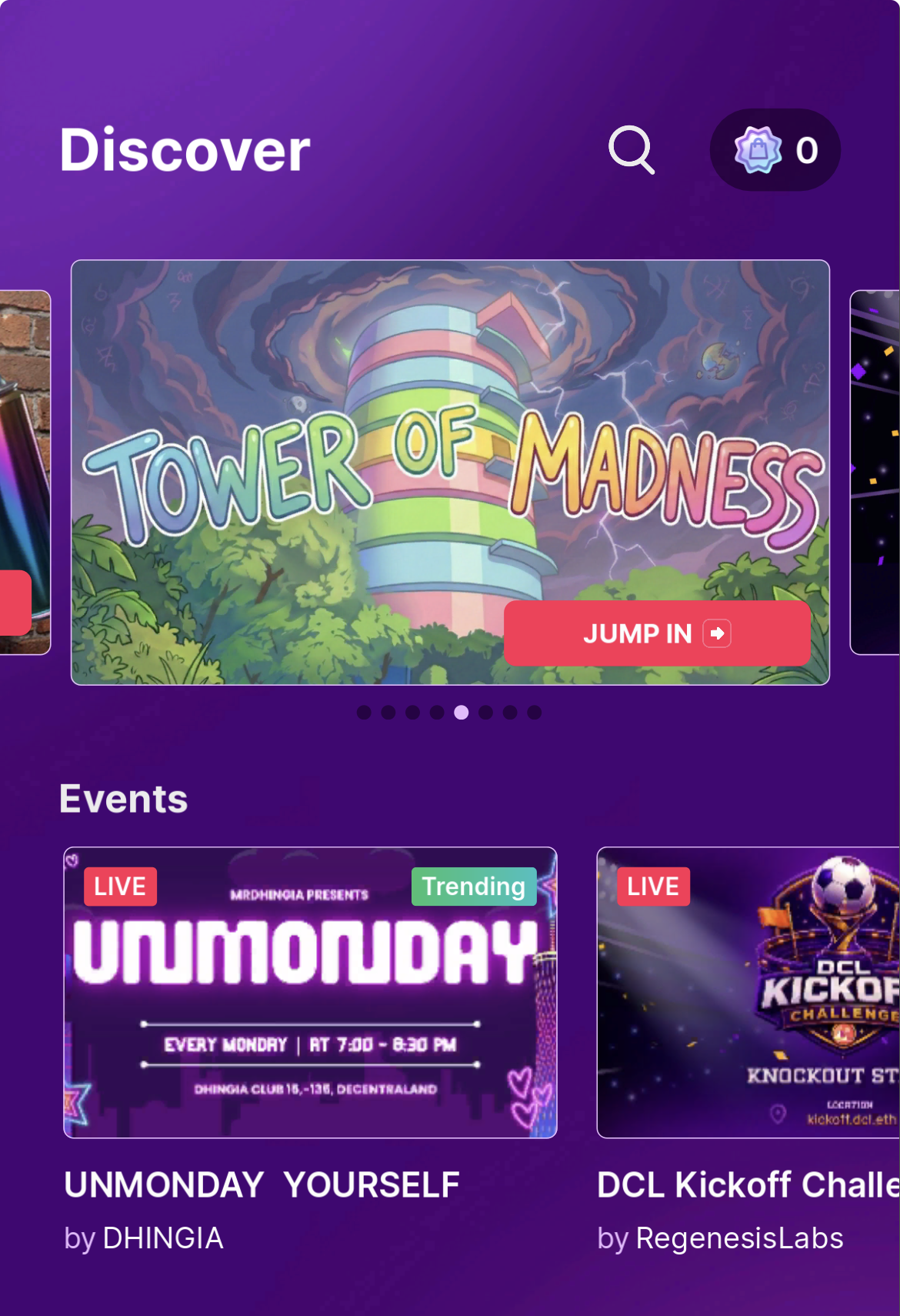
Cómo conseguir que tu escena aparezca destacada en la sección Discover para móviles.
La sección Discover móvil es la superficie con más tráfico en la app móvil de Decentraland y la mejor forma de poner tu escena frente a jugadores móviles. Las escenas destacadas son seleccionadas manualmente — no hay clasificación automática.
## Cómo postular
Envía tu escena a través del [rl-mobile-featuring](https://discord.com/channels/417796904760639509/1471564023131537590) canal en el Discord de Decentraland.
## Requisitos
Para ser considerado, tu escena o World debería:
* **Proponer una mecánica atractiva o novedosa para jugadores móviles** — algo que valga la pena abrir la app para ver, diseñado pensando en el tacto.
* **Tener una ubicación de la UI que no entre en conflicto con los controles móviles** — sigue la [área segura para móviles](/creator/content-creator-es/desarrollar-para-movil/desarrollar/safe-area.md).
* **Funcionar como se espera en móvil** — previsualiza y prueba primero en un dispositivo real; consulta [Previsualización en móvil](/creator/content-creator-es/desarrollar-para-movil/desarrollar/preview-on-mobile.md).
## Qué incluir en tu envío
Proporciona lo siguiente con tu solicitud:
* **Título de la escena / World**
* **Descripción de la escena / World**
* **Descripción del gameplay** — qué hace el jugador y por qué es interesante en móvil.
* **Un breve video de gameplay de tu escena en funcionamiento en móvil** — esta es la parte más importante. Grábalo desde un dispositivo real, idealmente mostrando los controles en pantalla en acción.
## Consejos para una buena presentación
* Haz bien lo básico primero. Valida las [mejores prácticas de UI](/creator/content-creator-es/desarrollar-para-movil/desarrollar/ui-best-practices.md) y [área segura](/creator/content-creator-es/desarrollar-para-movil/desarrollar/safe-area.md) antes de enviar — la UI que entra en conflicto con los controles es la razón más común por la que una escena se queda fuera.
* Muestra el momento específico para móvil. Si tu escena tiene una mecánica especialmente divertida con interacción táctil (dibujar, deslizar, arrastrar para apuntar, ritmos de toque), asegúrate de que tu video la destaque.
* Mantén el video corto y centrado — 30–60 segundos son suficientes.
## Relacionados
* [Área segura móvil](/creator/content-creator-es/desarrollar-para-movil/desarrollar/safe-area.md)
* [Buenas prácticas de UI para móvil](/creator/content-creator-es/desarrollar-para-movil/desarrollar/ui-best-practices.md)
* [Previsualización en móvil](/creator/content-creator-es/desarrollar-para-movil/desarrollar/preview-on-mobile.md)
* [Hazlo descubrible](/creator/content-creator-es/scenes-sdk7/publicacion/make-discoverable.md)
---
# Agent Instructions
This documentation is published with GitBook. GitBook is the documentation platform designed so that both humans and AI agents can read, navigate, and reason over technical content effectively. Learn more at gitbook.com.
## Querying This Documentation
If you need additional information that is not directly available in this page, you can query the documentation by asking a question.
Perform an HTTP GET request on the following URL with the `ask` and `goal` query parameters:
```
GET https://docs.decentraland.org/creator/content-creator-es/desarrollar-para-movil/publicar/get-featured.md?ask=&goal=
```
`ask` is the immediate question: it should be specific, self-contained, and written in natural language.
`goal` is what the user is ultimately trying to achieve, the reason they need the answer. Sharing it helps GitBook give you a better, more relevant answer. A goal is most helpful when it describes the outcome the user wants rather than restating the question. For example, with `ask=how do I create an API token`, a goal like `automate deployments from our CI pipeline` lets GitBook tailor the answer to that use case.
The response will contain a direct answer to the question and relevant excerpts and sources from the documentation.
Use this mechanism when the answer is not explicitly present in the current page, you need clarification or additional context, or you want to retrieve related documentation sections.